
This is the first screen to be displayed once the program has been launched and shows a list of the client companies on the system.
When the software first starts, the "Company List" screen is displayed and shows all companies, excluding those marked as "Hidden".
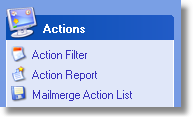
To filter the list and display only those companies that match your selection criteria, click on "Action Filter" link in the Actions panel and enter your selection criteria. Once you accept the criteria entered, click the OK button and the Company List will then display those companies that match.
By default, the list will be displayed in Name order. The list may also be displayed in many different alternative orders, simply by clicking the column heading. |
|

To Open an existing company, simply highlight the company that you require and click the Open button. Alternatively, you may double-click the required company.
|
To insert a new company, click on the New button or, alternatively, you may press the Insert key on the keyboard.
|
To delete an existing company, highlight it and then click the Delete button or the Delete key on the keyboard.
NB. You will need to supply the Master Password if one has been set up.
|