When the software first starts, the "Company List" screen is displayed and shows all companies, excluding those marked as "Hidden".
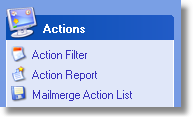
To filter the list and display only those companies that match your selection criteria, click on "Action Filter" link in the Actions panel and enter your selection criteria. Once you accept the criteria entered, click the OK button and the Company List will then display those companies that match.
From the Company List screen, you may select "Action Report" which will produce a printed report based on the above selection criteria or "Mailmerge Action List" which will create a CSV file which can be used for mailmerges etc..