Testing email communication is working
Go back into the presenter record, eFiling tab.
The first thing to do is to send a Test email to the registered email address which will test both sending and receiving of email within the software, but does not involve Companies House at this stage. Before doing this, you must be connected to the Internet.
| • | Click the "Send Test Email to Registered Email Address" button |
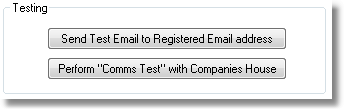
| • | A window will open saying it is sending an email, followed by a message either saying that it has been sent successfully or reporting an error. |
| • | Assuming that the email was sent successfully, you can now go to the "eFiling Log" from the Company List screen, and click "Send & Receive" to retrieve emails. Within a few minutes of sending your test email, it should be available to be received and you should find a new "Other Email" received into the eFiling log - in which case you now know that sending and receiving is working from this workstation. |
SMTP Port 25 or 587
Usually, outgoing emails are sent using "Port 25", however, some Internet providers block port 25. If you are having trouble sending emails and are using one of our supplied dedicated email accounts, then you can tick the box "Use SMTP Port 587" to force emails to be sent on "Port 587" instead. In many cases, Internet providers that block port 25, allow port 587.