The eFiling log can be run as a separate server application that will automatically send and receive emails at preset intervals. Running the separate server application (efile.exe) also allows workstations that do not have an Internet connection or have firewall restrictions so that they cannot send/receive email, but do have a network connection, to "queue" instructions for later sending by the eFiling server.
The eFiling server will always display entries for all companies and works exactly the same as the eFiling log, subject to some additional features - see below.
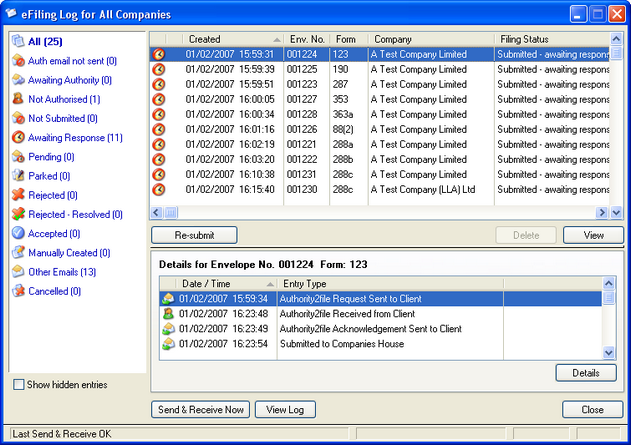
Actions:
| • | Send & Receive Sends all entries waiting to be sent and receives any emails that are waiting to be retrieved in the POP mailbox. |
| • | Send & receive Log Displays a log of recent "Send & receive" activity since the software was started. |
| • | Print Summary Prints a summary of displayed entries. |
| • | Settings Master Password - allows you to enter a "Master Password". If entered, the password will be required in order to start the eFiling server and also to return the server from a "Locked" state. Send/Receive Interval - allows you to set the interval for the eFiling server to automatically send/receive. |
| • | Lock eFile Server - Blanks the efiling server screen but leaves the server running. The "Master Password" will be required to return the server from a "Locked" state. This option is only visible if a Master Password has previously been created. |